Tag Archives: Arduino

AVR on a MAC: Blinky success
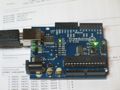
freeduino-1.jpgAs a first step, the blinking of an LED is an essential part of development for a new processor and environment. I had read somewhere that the bootloader on an arduino was compatible with an avrisp/STK500 programmer. That turns out to be quite right!


Following the instructions in the getting started guide for the AVR Macpack, I created a new project and entered the following for main.c:

#include 
#include 
int main(void)
{
	DDRB = 0xff;           /* make the LED pin an output */
	for(;;){
		char i;
		for(i = 0; i < 10; i++){
			_delay_ms(10);  /* max is 262.14 ms / F_CPU in MHz */
		}
		PORTB ^= 0xff;    /* toggle the LED */
	}
	return 0;               /* never reached */
}

the Makefile needed a little bit of editing. This just involved the lines near the top describing the device and the programmer:

DEVICE     = atmega168
CLOCK      = 16000000
PROGRAMMER = -c avrisp -F -b 19200 -P /dev/tty.usbserial-A9006L3s

The port is where my iMac found the Arduino USB-serial converter. The baud rate needs to be set to 19,200 for the bootloader and I had to set the -F flag to stop avrdude complaining about the device signature. Presumably, the Arduino bootloader code reports itself differently. If I can find out what that is, it would be worth adding some appropriate lines to the avrdude.conf file.After all that a traditional

make
make flash

and, after a dab at the reset button, we have a blinky light on the board - always a pleasing achievement. Now to haul out some old AVR kit and do some more experiments...

Continue reading

Posted in AVR | Tagged | Leave a comment

AVR on the MAC

7C0C36AB-CBD4-4652-9631-C533CE111905.jpgAfter many hours playing with the new iMac, it is time to get something ‘proper’ done with it. By proper, I mean, of course, some microcontroller development. To start with, I have been looking at the AVR.


Probably the easiest tool to get going with is the popular Arduino. Ready-to-go packages exist for the Mac which install in the proper way and give you a delightfully simple GUI to write simple, and not-so-simple programs. The various flavours of Arduino board mostly have a USB to serial converter on them and the arduino talks to a bootloader on the chip through this port. From what I can see, arbitrarily complex programs can be written for the target hardware, subject to the processor memory constraints. More on the Arduino another time.For now, look at this site: http://www.arduino.cc/For more general purpose AVR development, there are a few places to go to get ready-built sets of tools similar to the WinAVR package for Windows. These gather together everything you need to compile for the AVR using one of the various GCC packages. Downloading is generally by means of AVRdude which can talk to a variety of hardware. After a lot of hunting around and a couple of mistakes, I have chosen the AVRMacPack.The main reason is that it installs neatly and has an uninstaller. The other popular package is ASX-AVR. The main disadvantage of this is that it scatters several packages around your /usr/local/ folder and has no uninstaller so getting rid of it, and presumably upgrading it, looks to be a bit of a pain.AVRMacPack details can be found here: http://www.obdev.at/products/avrmacpack/index-de.htmlTo program my processsors, I will be using the ASBasp. This open-source programmer is supported by the version of AVRdude in the tools and would be very easy to build. Except, of course for the chicken and egg business of getting the programmer programmed. Thus I have ordered a ready-made one from an eBay seller. Once that arrives, I can make some more.All this sound very well but I have not yet tried any of it so more later… Continue reading

Posted in AVR | Tagged , , | Leave a comment