Micromouse book
Categories
Recent Comments
Meta
Popular Posts
- Simple ADC use on the STM32 (4,106)
- STM32 Arm-Cortex bootloader (2,803)
- STM32 USART basics (2,703)
- All Japan Micromouse 2011 – finals (2,011)
- STM32F4 – the first taste of speed (1,690)
- Micromouse Book (1,587)
- Nokia 3410 LCD on the STM32 (1,337)
- CodeSourcery GNU Toolchain for the ARM on a Mac (1,145)
- Bit Banding in the STM32 (1,045)
- ARM STM32 JTAG (973)
Blogroll
-
Upcoming Events
Tag Archives: rowley
Crossworks for the ARM on a mac
After much messing about, I finally decided how to do my STM32 ARM development. While there is a certain amount of appeal in the DIY approach, in the end I just want to write code for my processor and not battle to make sure the tools are properly configured. To this end, I have now paid for a personal licence for Rowley Crossworks for the ARM. This cross-platform toolset and IDE will run pretty much identically on Windows, Linux, Solaris and the mac. The compiler is one of the GCC releases and you get almost everything you need in one hit…
The IDE can talk to a variety of JTAG devices for debugging. The list includes:
- ARM simulator
- Olimex ARM-USB-OCD
- Olimex ARM-USB-TINY
- Amontec JTAGkey
- xVerve Signalyzer
- Luminary USB Debug
- STR9-comStick
- USB CrossConnect for ARM
- Hitex STR9-comStick
- Hitex LPC-Stick
- Generic FT2232 Device
This is a wide range and much less restrictive than othe toochain suppliers. It would be nice if it could have used the Segger JLink that I have or the Keil uLink but I am not complaining. There is support for the Segger JLink but it seems to need a separate license or driver file that riuns in Windows. The Crossconnect Lite from Rowley is ideal for small scale work and gives you a full JTAG program and debug capability for a reasonable price. It appears to differ from the full Crossconnect only in the maximum data transfer. Not a real problem either way.
Processor support is more ARM devices than I knew existed and includes ARM7, ARM9, XScale and Cortex M3 devices.
Another advantage of the product is that you can download a free trial of the full product and see if it suits you.
Installation is very simple but you will want to download a couple of extras before you can do any serious work. I want to develop for the STM32 Cortex-M3 processors so I needed to grab the STMicroelectronics STM32 CPU Support Package (v2.2). This provides a number of STM32 project templates and the appropriate processor definitions, linker information and so on. You also get a number of sample projects to get you going. These include the following:
- IAR_STM32F103ZE_SK Shared Samples
- Keil_MCBSTM32 Shared Samples
- Keil_MCBSTM32E Shared Samples
- ST_STM3210B_EVAL Shared Samples
- ST_STM3210C_EVAL Shared Samples
- ST_STM3210E_EVAL Shared Samples
- ST_STM3210E_EVAL External Flash Loader Solution
I also wanted to use the ARM CMSIS and the ST Standard Peripheral Library to save having to write to much low level stuff. When I am more familiar with the chip, that notion may change but for now, the first step is to download the current version of the library from ST:
http://www.st.com/mcu/modules.php?name=mcu&file=familiesdocs&FAM=110#Firmware
This needs to go somewhere suitable on your computer. I chose to put it in /Library/Arm on my iMac. You will need to remember where it went for the next step which is to go back to Crossworks and install the other Package you will need – The STMicroelectronics STM32F10x Standard Peripherals Library Updates (v1.0).
Once you have that, you will be all set to create projects based on CMSIS and the Peripheral Library.
I found the business of actually working out how to create a project a bit hard but I now think I have it sorted out. the thing is that the Peripheral Library consists of a number of header and source files, most of which you would be mad to edit. After all, they would not be very standard then would they. However, some files need to be in the project directory and modified to suit your project. the guidance on what to put where is pretty thin and it seems that most people just copy the library source files into their project and have done with it. The problem with that is that, should the library sources change, there will potentially be several different versions in different projects. On the other hand, if you point to the library files in their original positions, any subsequent projects may conceivably fail after a re-compile because the sources are different. I really don’t know what is best but I have, for now, opted to point to the library source files and only have in the project folder, those files that need to be there because they are project dependant.
At this point you should be good to go. All the sofawre components are installed and and you just need to start creating projects. Next post will be creating a simple project for a suitable target board.
STM32 and the Segger/IAR J-Link
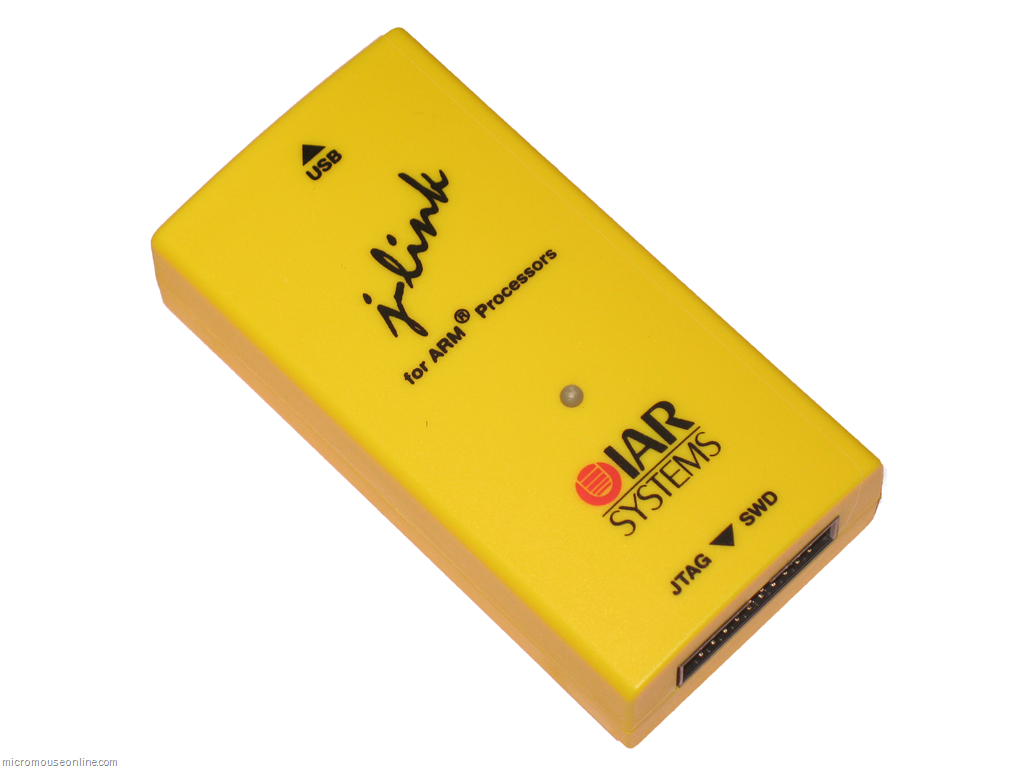
I finally got a day to play with some of my new toys. These are the IAR STM32-SK and the IAR J-Link debugger.The IAR J-Link is a re-badges Segger unit and I believe they are identical. I was quite excited about having a real debugger to use. – especially as programming the STM32 through the bootloader is a bit of a fiddle. Things didn’t turn out quite as I had hoped…
The development kit came with a 32k code-limited version of the IAR compiler. After a good few hours playing with this, I have decided to abandon it. The 32k code limit will be too restrictive for a micromouse. While is is way more than enough with an 8 bit micro, the ARM is a 32 bit device and so instructions take up a corresponding extra amount of flash. Not four times as much but enough to make it a bit of a squeeze. Besides, the full compiler would require me to sign over most of my organs and a share of the house to own. What is more, IAR seem to have stopped developing their IDE in the last century and it is not very slick.
Then came the decision about what tools to use. There seems to be two choices if I don’t want to assemble a set of disparate bits an pieces from the open source bucket. Don’t get me wrong, they are probably just fantastic but I am not keen on spending lots of time working out how to build a toolset when it is going to take quite long enough learning to drive the STM32.
There seems to be two choices. First, there is the Raisonance Ride 7 environment which can be downloaded for nothing and has a complete GNU tool set – also free. The IDE is quite nice to use and does everything I would expect at this stage. Compiling is easy and there is a simulator available as a target which runs quite nicely. The problem is getting the code into the chip. So far, I have been using the serial bootloader built in to the processor. This is very handy but the ST Flash Loader Demonstrator is a very clunky piece of software that I soon became tired with. The real drawback with the Raisonance tools is that you can’t use the IAR J-link to either program or debug the chip. For that you will need the Raisonance R-Link. It is not too expensive at £53 or so and, apparently, works well with the tools. However, unless you want to start spending proper money, it will only allow on-chip debugging of 32k of code. I can’t decide if that will be a real limitation. While the mouse software will grow beyond 32k, it should be possible to do a restricted build to deal with particular problems that might need the debugger. Up to now, I have not used on-chip debugging as the ICD2 kept destroying processors.
The other choice is the Rowley Crossworks toolset. A 30 day demo is available which is unrestricted apart from the time limit. This is a proper commercial environment, using the GNU tools. A personal, non-profit version is available for about £88. Crossworks can talk to the J-Link and is not limited in either programming or debugging. So I got an evaluation licence to give it a try. I wasted almost an entire day with errors, faults and inconsistent behaviour of the J-Link. I was about ready to give up when I came across mention on the Segger site about the processor reset and the JTAG reset line. You can look it up here.
Essentially, it says do not connect RST and TRST. I really don’t know why this caught my eye but I then checked the development boards that I have. Both are made for IAR by Olimex and both have a jumper connecting RST to TRST. A couple of minutes work with the soldering iron and some solder wick and the jumper was cleared. Suddenly everything seemed to work just fine. It needs a lot more testing yet but this seemed to cure all the issues I was having with the J-Link. Below are pictures of each of the boards with the location of the jumper highlighted.
IAR STM32-SK
This board has the jumper on the underside
Add to Google